Newsletter · 19 Oct 2026
Copilot vs Claude, mental models and Gemini 4 Argon
Copilot vs Claude, better answers with mental models, and our bootcamp for everyone on 27 October.
Hey 👋
Welcome back! Last week Google released its new frontier model Gemini 4 Argon, and Meta showed Muse Wonder and Muse Wonder Full, its most capable models so far. Microsoft launched Copilot for legal, and Claude models are now in Gemini Enterprise.
Jump to the AI News section further down if you want to read more about them. Our focus in this issue is on a question teams on Microsoft 365 often ask us, and on how to get better answers from any AI tool.
On Tuesday 27 October we run our next Claude Code bootcamp for everyone at Mesh.
In this issue
- Our Claude Code bootcamp on 27 October
- Copilot vs Claude, what we tell teams
- Better answers with mental models
- An agent in a folder, in 85 seconds
- Coming up
- AI News, with Gemini 4 Argon and Meta's Muse Wonder
We already have Copilot, so do we need Claude?
We train teams on Claude, ChatGPT, Codex, Gemini and Microsoft Copilot, and teams on Microsoft 365 often ask us this.
Copilot has improved a lot in 2026, and with the new Copilot Cowork the gap to Claude is smaller. Copilot supports Office out of the box and is good at finding your work context. In our experience, Claude is still the more capable agent for complex work, especially with files and skills, and also inside Word, Excel and PowerPoint through Claude for Microsoft 365.
Most day-to-day tasks do not need Claude, and we expect Copilot to handle more of them over time. That is why we encourage companies to have more than one AI tool, and many of the clients we work with give their AI ambassadors several tools to test against each other.
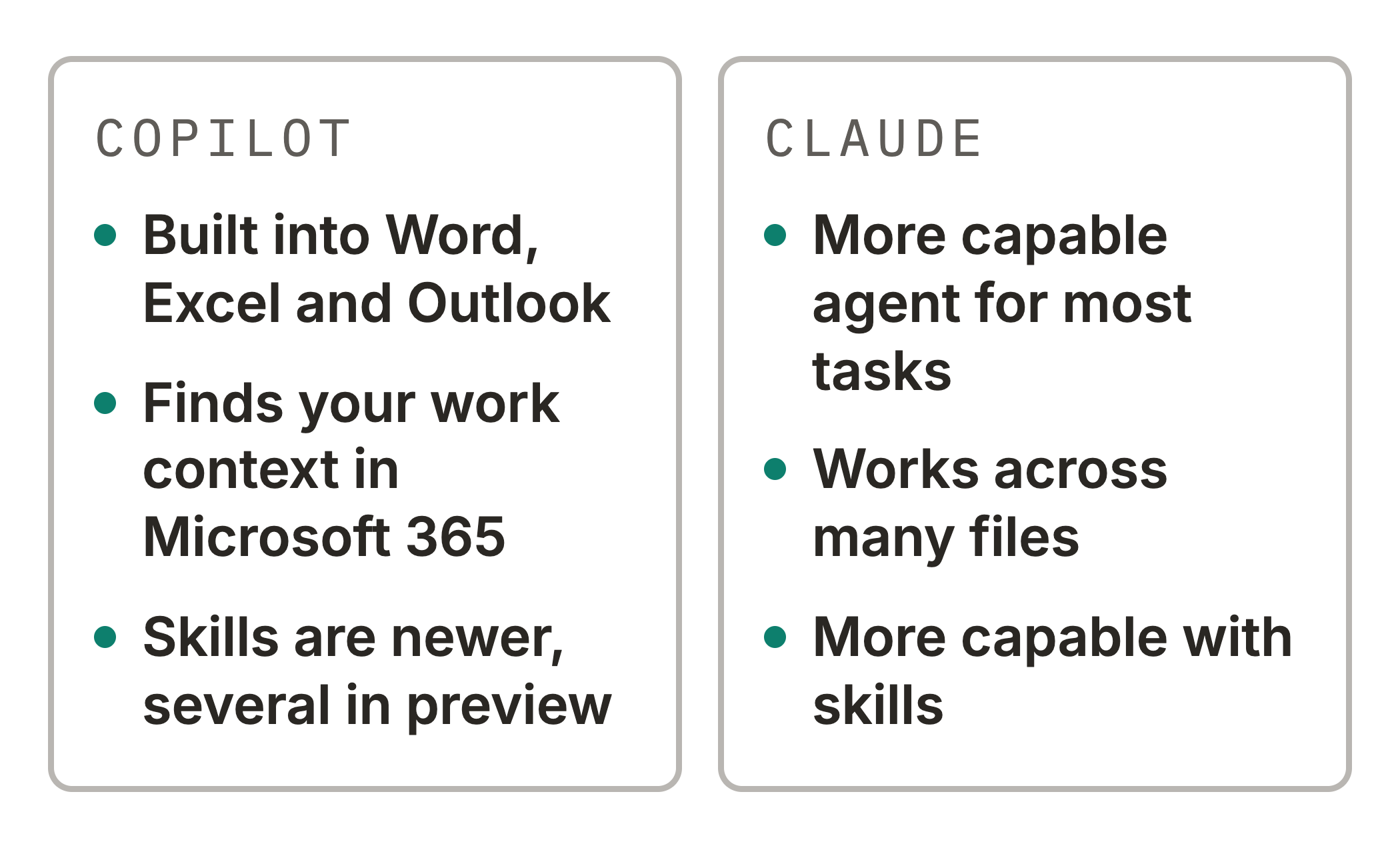
In Microsoft Copilot vs Claude for teams on Microsoft 365 we deep dive into the differences, from licences and models to where the data is stored. It is also in Norwegian.
Join us on Tuesday 27 October
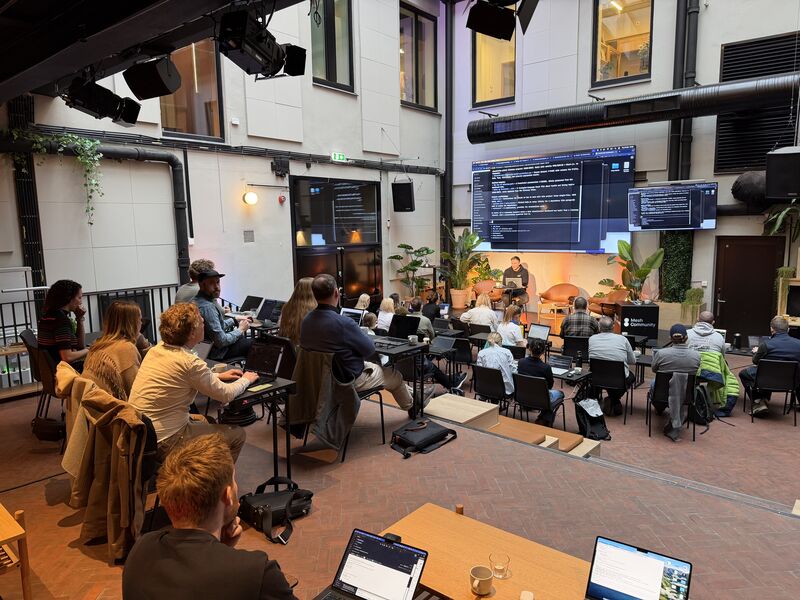
Our next Claude Code bootcamp for everyone is a full day at Mesh, hands-on with your own documents and research. You do not need any coding experience, and you can bring a Mac or a Windows laptop.
You bring the tasks from your own week and spend the day getting an agent to help you with them. Along the way you learn why skills matter, and the magic powers of working with an agent in a folder.
Give AI a lens
Most prompts ask a plain question, and the answer is the average of everything the model has read. It sounds like everyone else's.
Name a person, a framework or a mental model in the prompt, and the answer gets more ideas, more depth or a wider view. A CFO asks different questions from a sceptical customer.
A SWOT gives the answer a structure, and first principles break the problem down to what you know is true.
You do not need to know the frameworks yourself. Ask AI to suggest some.
Here is my challenge, [challenge]. Suggest five frameworks, mental models or people whose view would help, say in one line what each would show me, then use the one you recommend.
Once a lens works for you, package it as a skill, so the method is saved and you do not have to type it again. Then you can combine several lenses in one short prompt.
Use my SWOT and first principles skills on our plan to [plan]. End with the three moves you would make first.
The prompts work in ChatGPT, Claude, Gemini and Copilot. How to use mental models and frameworks with AI has prompts you can copy for How might we, SCAMPER, first principles, five whys, SWOT and a pre-mortem. We build skills like these together at the bootcamp on 27 October.
What is an agent in a folder?
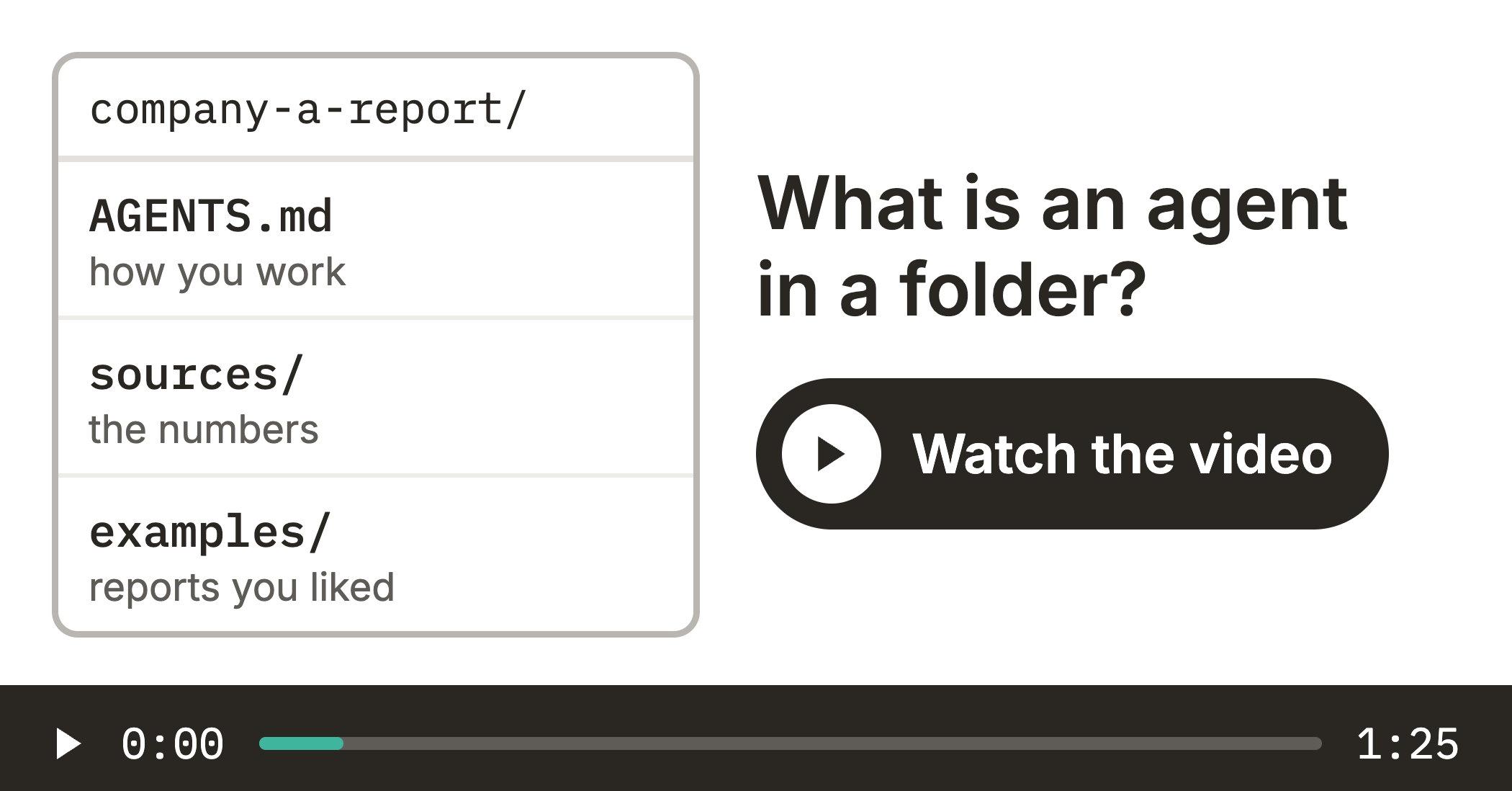
Most of us have spent the last ten years moving our work into the cloud, into SharePoint, Google Drive and chat in the browser. So it can feel like a step back when we ask teams to give their AI agent a folder on the computer. We still recommend you try it.
The folder is what lets the agent remember. It holds your instructions, examples and skills as plain files, so a long prompt becomes one line, and every correction you save makes the next round better.
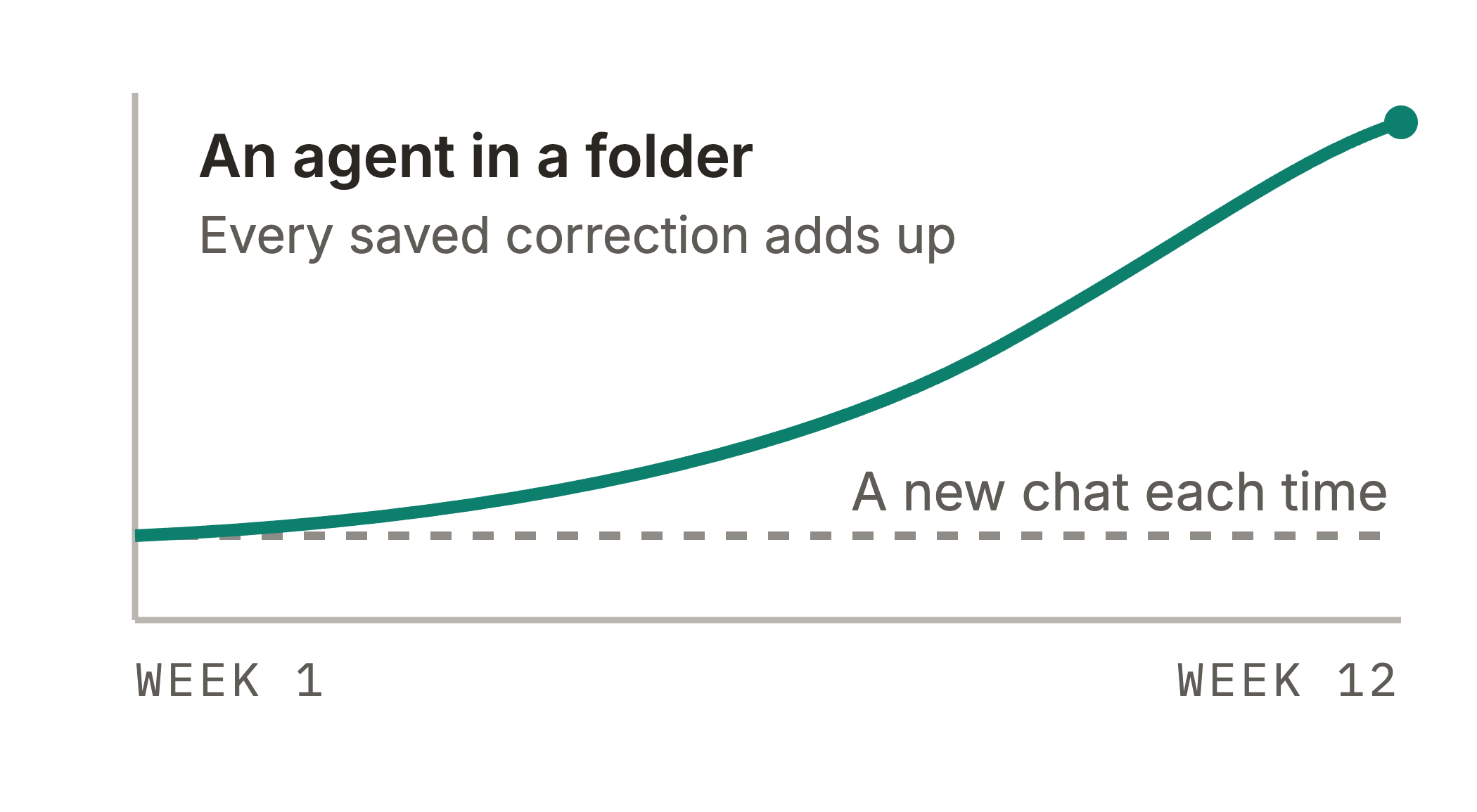
That is the compounding effect. One saved correction is a small gain, but they add up week after week, while a new chat starts from zero every time.
The folder can still sync to OneDrive or Google Drive, and the files are yours, so you can take them to another tool. An agent in a folder shows how it grows from one folder into a team of agents. We set up folders like this together at the bootcamp on 27 October.
If you missed it in the last issue, What is Projects in Claude Code? shows how Claude hands out the work in one conversation to threads that run in parallel, with a finance team as the example.
Coming up
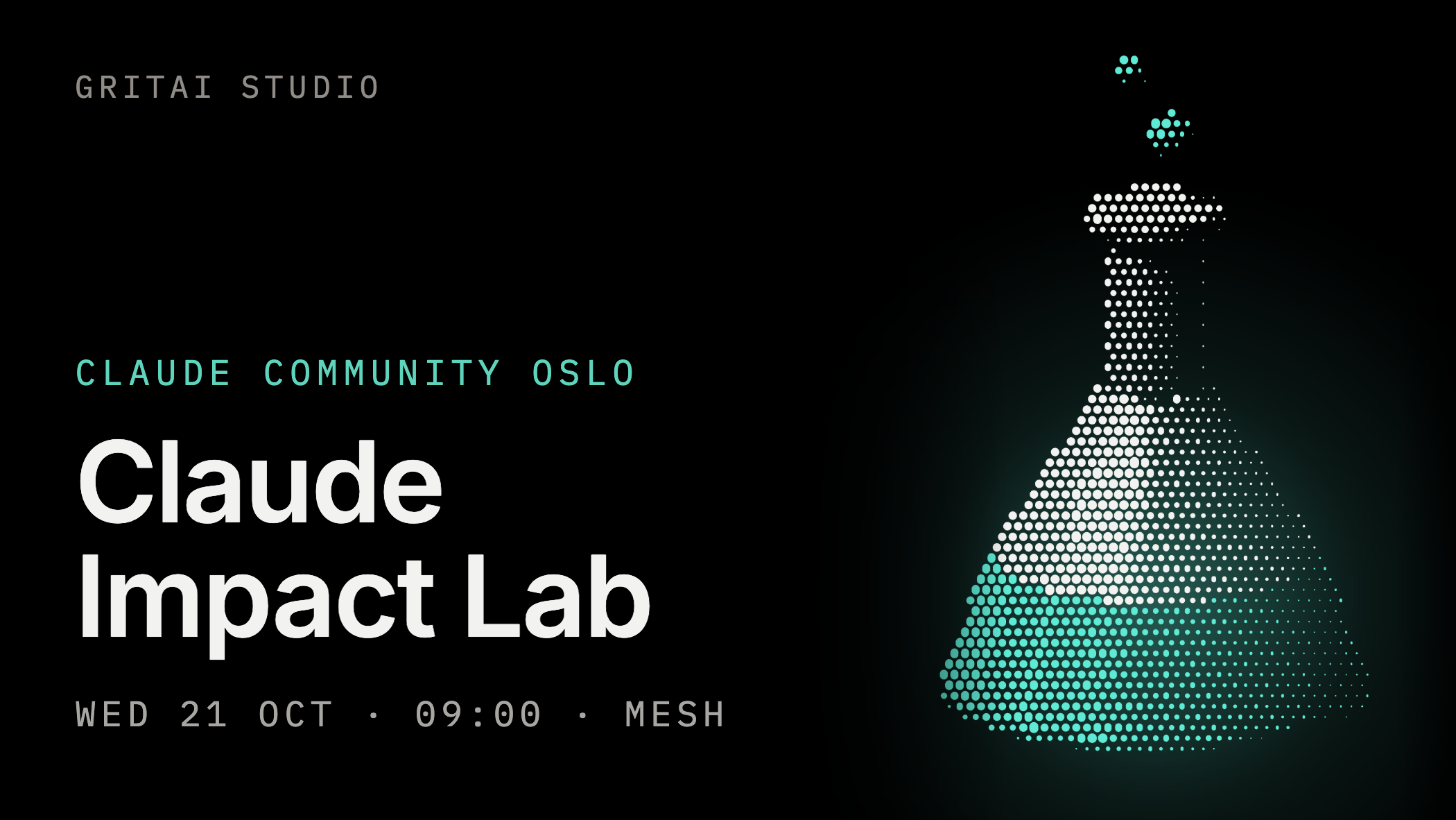
Claude Impact Lab at Mesh, Wednesday 21 October, 09:00 to 14:00. It follows up Claude Conversation and is part of Oslo Innovation Week. Mixed teams build prototypes on the problems people raised, and no coding is needed. It is full, but the waitlist is open.
Oslo Innovation Week AI Day at Mesh, Wednesday 21 October, from 08:30. Mesh Youngstorget has AI tracks on three stages all day, and Aleksander hosts it. It is full, but there is a waitlist.
Claude Code Bootcamp for everyone, Tuesday 27 October at Mesh.
NDC Porto, 17 to 20 November. Aleksander speaks at the Tivoli Kopke Porto Gaia Hotel.
We also run company bootcamps built around your team's tools, workflows and priorities. Reach out to learn more.
AI News
Here are the other updates from last week worth a look.
Gemini 4 Argon. Google's new frontier model is built for long tasks with many steps, and Google says it hedges less in its answers. It is rolling out in the Gemini app on AI Pro and Ultra, and in Gemini Enterprise it is off by default until it turns on from 27 October. We have not tried it yet.
Meta releases Muse Wonder. Meta compares Muse Wonder with Claude Fable 5.1 and GPT-6 Astra in its own benchmarks. It is for developers for now, and the Muse app comes later. Meta also released Muse Spark Open, a model a company can download and run on its own machines, in Meta's example on two Mac Studios.
Claude models in Gemini Enterprise. Admins can now add Claude Opus 5.5 and Sonnet 5.5 to the model picker in Google's business app. Like Copilot, it now lets you pick models from more than one lab.
Microsoft Copilot for legal. Microsoft has added more than 20 legal skills to Word and Copilot Cowork, from redlining as tracked changes to drafting from approved precedents and tracking deadlines across contracts. It is available now to Microsoft Copilot customers worldwide.
Microsoft Copilot without a Microsoft 365 licence from 1 December. New Copilot offers no longer have to be bought on top of a Microsoft 365 subscription. New Copilot Business licences bought through a partner also get usage-based billing on by default, capped at 4,000 Copilot Credits per user per month.
Workday connects Claude to HR and finance data. Workday says you will be able to use its agents and your HR and finance data from inside Claude, within the permissions you already have in Workday. It is in early access, with general availability expected late 2026.
Anthropic merges more than 30,000 code changes a day. That is up from about 2,500 in May, and Anthropic puts the growth down to Claude writing code. A team of seven built a new system to keep track of all the changes.
Datatilsynet on AI meeting notes. Three municipalities that are considering an AI for child welfare meetings had it assessed in the Norwegian Data Protection Authority's sandbox. The AI records the meeting and drafts the note. The report finds it can be lawful if the recording is deleted once it is transcribed, the transcript is deleted once the note is final, and people are told in advance.
If you try one of the tips, reply and tell us how it went. We read every answer.
Best, Aleksander and Simon
Get the next issue in your inbox.