Newsletter · 5 Oct 2026
Sonnet 5.5, OpenAI dots and a team of AI agents
OpenAI DevDay, Sonnet 5.5, a team of AI agents for big jobs and decks in HTML.
Hey 👋
Welcome back! Last week was another busy week in the world of AI. Anthropic released Claude Sonnet 5.5, OpenAI held its DevDay and launched dots, AI agents in ChatGPT that keep working in the background, and Google teased Gemini 4 Argon, its new frontier model.
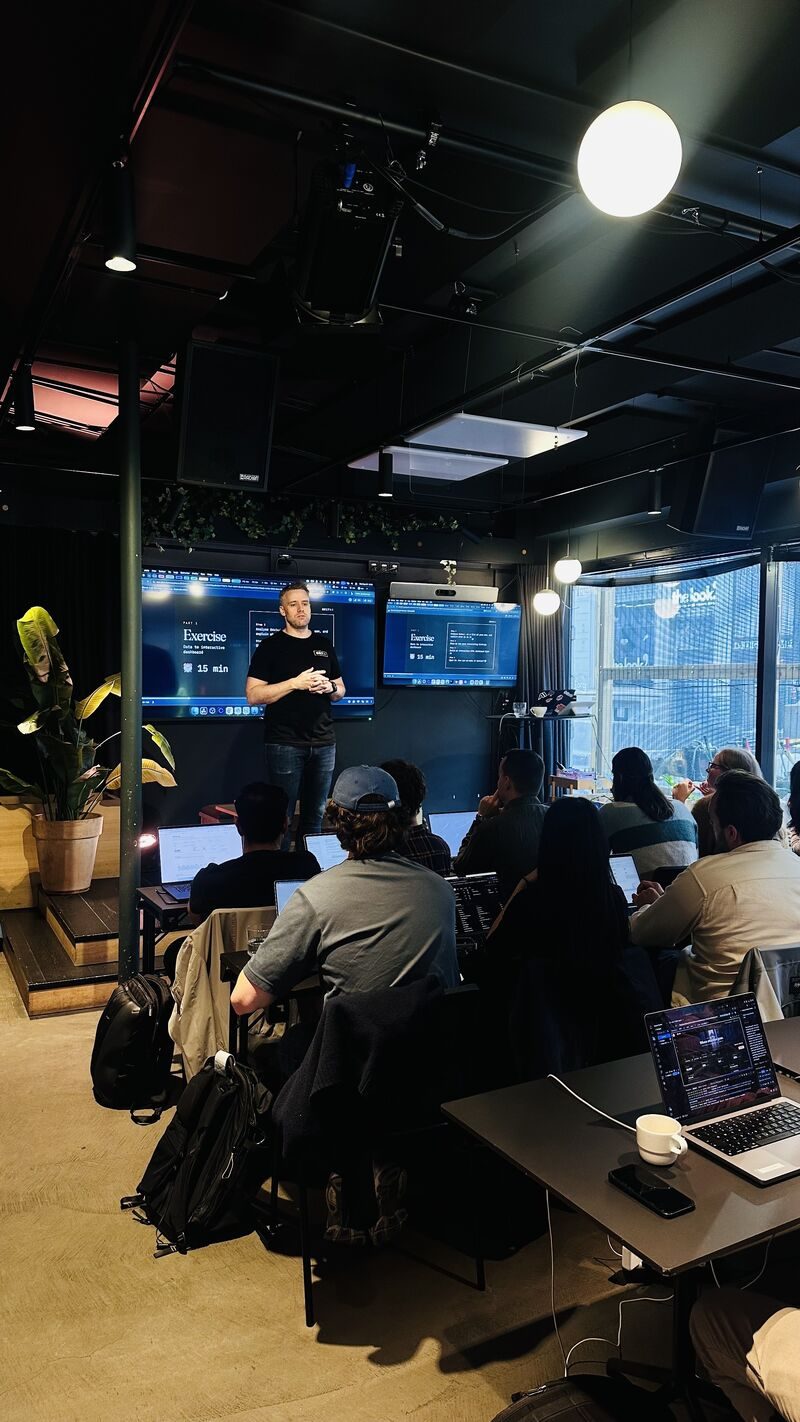
On Wednesday 30 September we ran our first Claude Code Bootcamp for developers at Mesh. It was a practical full day on using Claude Code in real development work.
As agents take on more of the coding, the work shifts to defining the task, giving the agent context and verifying what comes back. Thank you to everyone who took part and made the atmosphere so great.

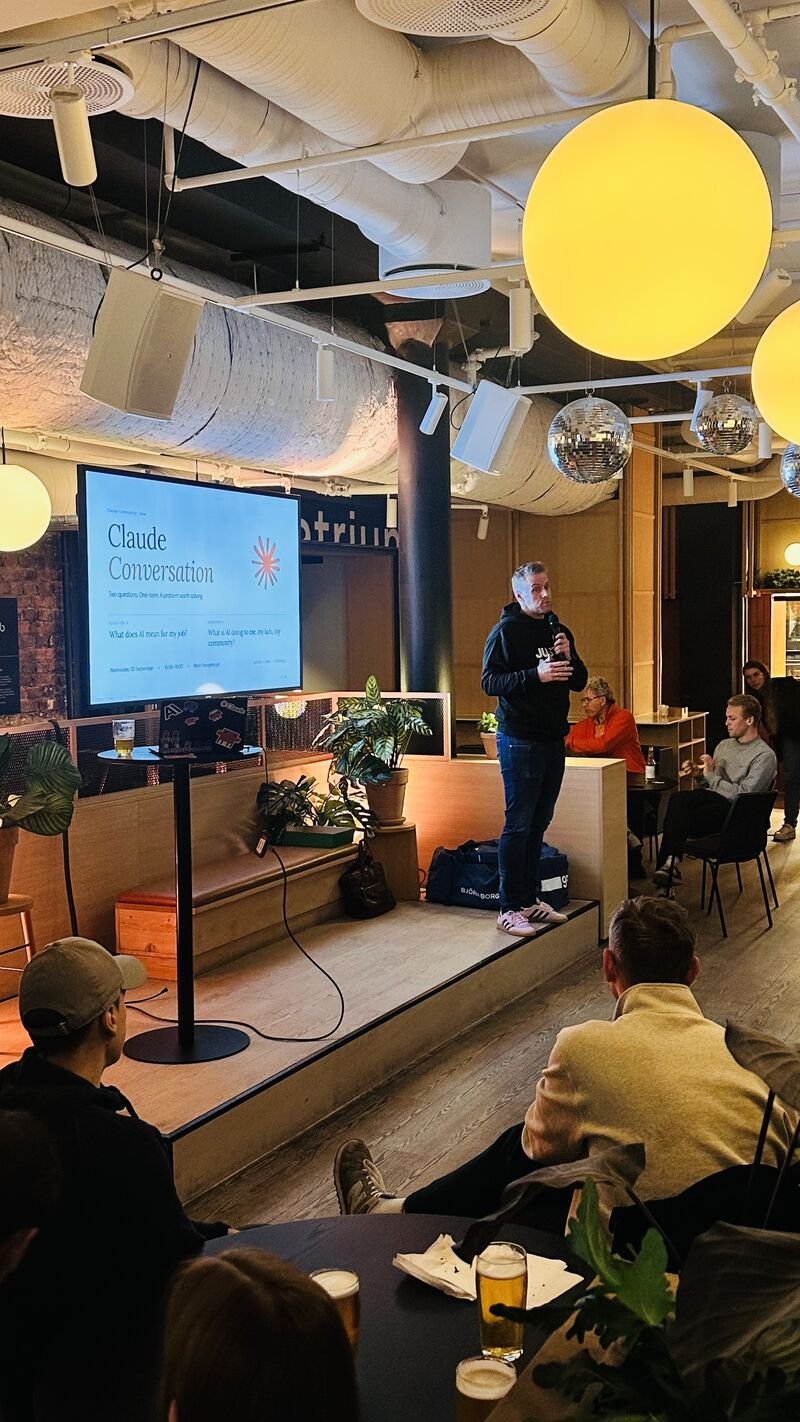
The same evening around 50 people joined Claude Conversation, a special event from Claude Community with a limited number of seats. They worked in groups on the big questions. How might AI change our jobs, our children and the places we live, and what can we do about it?
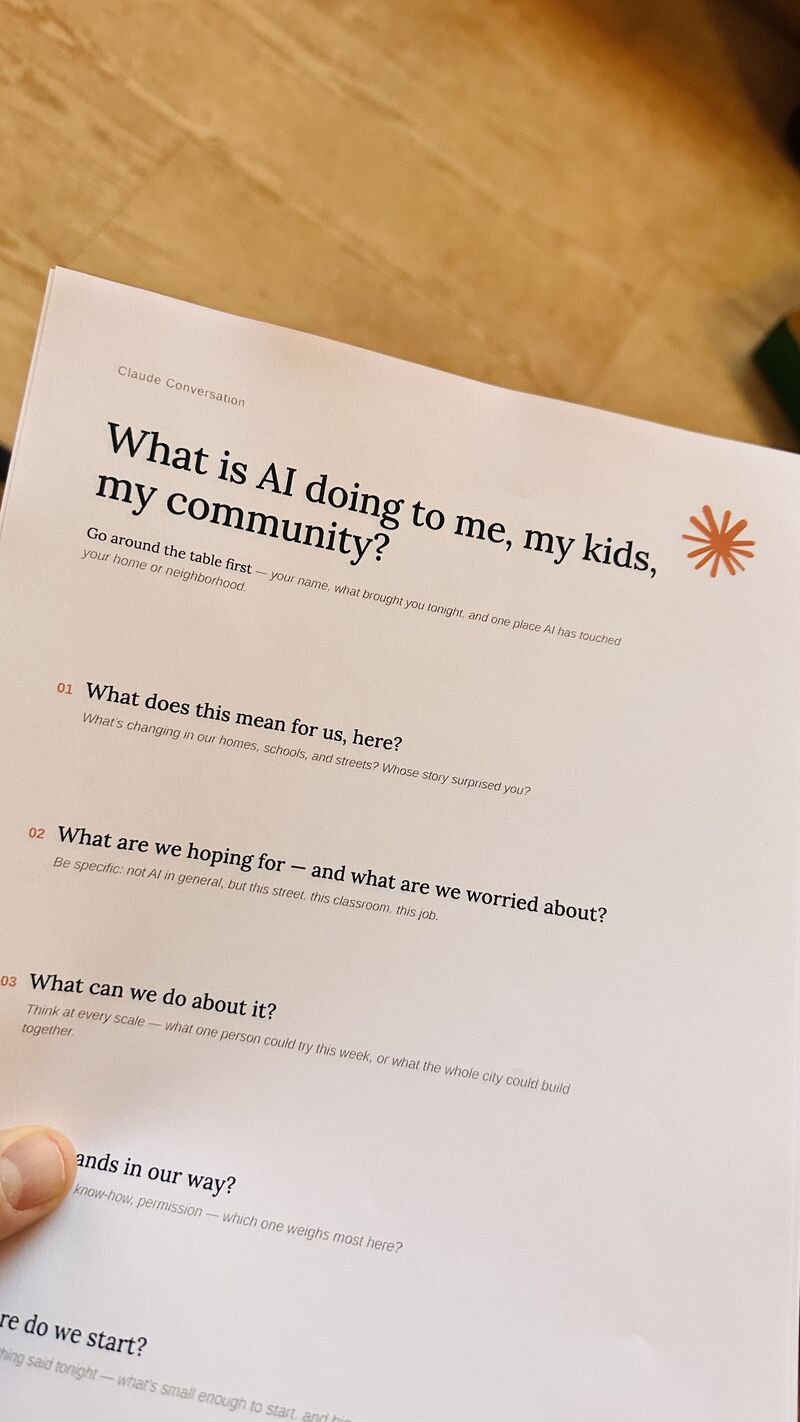
We follow up with an Impact Lab at Oslo Innovation Week AI Day at Mesh on Wednesday 21 October, where we will try to build solutions to the questions that came up.
In this issue
- How to give a big job to a team of AI agents instead of one
- How to build your presentations in HTML with Claude Code
- How to let your agent learn from your feedback, so the next round starts better
- What OpenAI announced at DevDay
- AI News, with Sonnet 5.5, skills in Gemini and a Norwegian agreement on AI at work
- Coming up, with Oslo Innovation Week AI Day at Mesh and our bootcamp for everyone
Build a team of AI agents
Most people use AI with one agent that is responsible for everything. That works most of the time and is still the right place to start. When the job gets big, that one agent reads everything, does all the work and ends up checking its own work.
A team splits the job. Each agent gets its own role and a narrow brief, the way an analyst, a writer and a proofreader are three different people. Put the documents in a folder, open it in Claude Code and type this.
Make four agents to help me with [task]. Suggest the roles and the setup.
When the team is in place, let it work.
Work with the team on [task] until the team agrees that it scores 8/10.
This is a very powerful way to get significantly better results with AI, but it is also quite costly, since a team uses far more tokens than a single agent. Keep an eye on the token spend. If you are on a Claude Max subscription, we highly recommend this approach.
Check the numbers yourself before you use the result.
How to build a team of AI agents shows a competitor analysis and an investment memo built this way, and what it costs.
Presentations in HTML
We have started to build our decks in HTML. A slide in HTML is a web page, so a chart can draw itself, a slider can answer a what-if question from the room and a prototype can run right on the slide. You do not need to write any code. Claude Code does that while you describe what you want.
Start with the design, so every slide follows it.
Before we make any slides, set up the design for my decks. Use our colours [colours], our font [font] and our logo. Pick one accent colour and fixed sizes for titles, text and spacing. Keep it all in one place that every slide uses.
You can also just share a screenshot of your design, and Claude picks out the colours, fonts and layout for you.
When the deck is done, ask for the one-file version. You get a single HTML file with every slide, font and picture inside, which you can email and open with a double-click.
How to make great presentations in HTML shows you how to create a complete presentation tool in a single HTML file, with keyboard control, a slide panel, speaker notes, animations, live charts and a PDF download.
If you are new to HTML with AI, start with The magic powers of HTML, which shows the few plain words that unlock it in Claude, ChatGPT and other AI tools.
Let your agent learn from your feedback
When you correct an AI agent, the correction usually stays in the chat and is gone next time. Put it into the folder instead, in the instruction file, an example or a skill, and every round leaves something behind for the next one.
Most agentic tools now have a memory of their own, but in our experience you get better results when you manage that memory yourself instead of trusting the AI to remember what matters.
Add the feedback I just gave you to the instructions in this folder, so you follow it next time.
The same goes for the team above. Save the roles as files in the project folder, share the folder, and your colleagues use the same team next quarter.
OpenAI DevDay
On Tuesday 29 September OpenAI held DevDay, its yearly event for builders, and announced more than 20 launches.
One of the things we are very excited about is Sign in with ChatGPT. People log in to an app with their ChatGPT account, and on Plus and Pro the app can run its AI on their plan. Whoever builds the app then needs no OpenAI key and no bill for model use.
That removes the hardest part of sharing an AI app you have built yourself. For now it is a limited preview for open-source and locally hosted apps, and paid or hosted apps must apply to OpenAI first. We hope Anthropic will do the same with Claude.
These are the biggest announcements.
- Dots. Always-on AI agents with their own cloud computer. Business Premium in Norway gets them, but Pro does not include Norway at launch.
- GPT-6.1 Sol. OpenAI says it comes close to its top model at about a fifth of the price.
- Pages, Space and slides. Documents and decks you build together with colleagues and ChatGPT.
- @ChatGPT in Slack and Teams. Ask for help right in a channel.
- Codex in the cloud. Coding tasks keep running with the laptop closed.
AI News
Here are the other updates from last week worth a look.
Introducing Claude Sonnet 5.5. The new mid-size model came out on Monday 28 September. Anthropic says it is more than 30 per cent faster than Sonnet 5 and up to 30 per cent cheaper for most work.
Gemini gets skills. Skills are saved instructions you run by typing / and a name. They replace Gems, which close for personal accounts in November and move over automatically. Work accounts get skills in the coming weeks and keep Gems until March 2027.
Gemini 4 Argon. Google's new frontier model for long and complex professional work. So far only selected security teams have it, and paid developers and Google AI Ultra subscribers come next.
The government and the social partners sign an agreement on AI. On Friday 2 October the Norwegian government signed an agreement on AI at work with the unions and employer organisations, including LO and NHO.
Coming up
Oslo Innovation Week AI Day at Mesh, Wednesday 21 October, from 09:00. Every stage at Mesh Youngstorget has AI sessions all day, across several tracks. Aleksander guides the day, and the Impact Lab after Claude Conversation is part of it. The event is full, but there is a waitlist.
Claude Code Bootcamp for everyone, Tuesday 27 October at Mesh. A full day with your own documents and research. No coding experience required.
NDC Porto, 17 to 20 November. Aleksander speaks at the Tivoli Kopke Porto Gaia Hotel.
We also run company bootcamps built around your team's tools, workflows and priorities. Get in touch if you want to bring us in this autumn.
If you try one of the tips, reply and tell us how it went. We read every answer.
Best, Aleksander and Simon
Get the next issue in your inbox.